Archive for the ‘Geeky’ Category


Setting up our Brother MFC-9440CN printer

Saturday, December 22nd, 2007

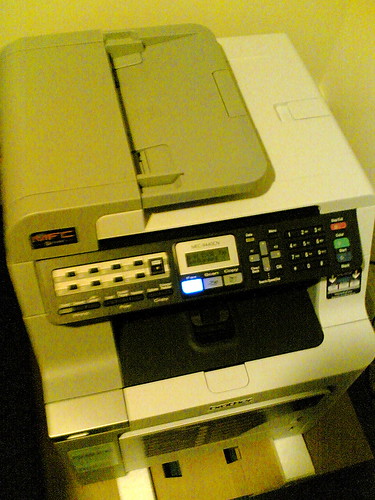
Had to put Brother in the corner I’ve finally gotten around to getting our Brother MFC-9440CN printer setup. As you may or may not know, we’ve been given the opportunity to test drive this sucker out. And let me tell you, this puppy is a honking piece of machinery. By that, I mean that it’s large and heavy. We don’t have much room to spare in the apartment, so it’s on the floor in the corner of the dinning room/area. It’s secure and slightly raised off the floor, but generally in a good space.

Setting up the printer to work with our iMac was a bit tricky, but that was only because I thought the printer was supposed to have wireless capabilities. The single ethernet port on the back should have been a clue, but I swear someone told me it had wireless. No big deal as I had a spare cable to run from our router to the printer. Once I downloaded the driver for it, we were in business.

My first impression is that it takes a little long to start the actual print out. The data gets zipped straight over, but the time it takes to actually start printing is a bit lagging by about five to ten seconds. Perhaps adding more memory to it would help, but with its size and weight, you think it’d be a tad faster.

Also, the printer tends to make the paper curl just slightly after it’s done with the final product. That could be a symptom of the type of paper, but it’s interesting to note nonetheless. It’s nothing that can be dealt with, but just addressing things that I’ve noticed at first pass.

Printing out something with color in it has been impressive. The resolution is fairly good, and I’m sure I could set the printer to be even better. I just haven’t got that far. On top of that, I tested out the copying capabilities with the same printout. That’s considerably quick with matching quality. Having a printer is one thing, but the fact that you basically have a copy machine is pretty cool. That alone makes me pretty impressed with this unit.

The one thing about having this printer is we weren’t looking to buy one, and that was mainly because we didn’t have a need or a purpose to really use one. We already have a desk jet and scanner, separately, in the house, but it’s a painful process to get it all to work together in a roundabout, ten step process. Now that we have this Brother, all-in-one center, there might be more uses that we can find for it. I know that we were looking to do some photocopying some time back, and it does get a little annoying when you have to go to the post office to get it done. The quality this machine has is very comparable that you would get a five cents per copy at a store.

This is just the first foray into this printer, but at first attempt, I’m pretty impressed. Now we just need a better place we could put this thing. Would love it if someone gave us a nice set of workspace furniture to “try out” that could make the space in our apartment more efficient, wink wink nudge nudge.
Doing the I.T. thing at the South Pole

Wednesday, December 12th, 2007

Here is something completely geeky, but I find it incredibly fascinating. Slashdot had a link to this article with Henry Malmgren, the I.T. manager to the Amundsen-Scott South Pole Station[wiki]. It’s a long read, but worth it to see how things operate down there, especially on a much heavier, tech level than most people probably think.

And truth be told, yours truly is working in this realm of responsibility with my day job, so I guess that’s why I find it even more intriguing. Most of the time, the biggest concern is making sure that equipment doesn’t over heat, resulting in failure. This guy, on the other hand, has to make sure everything stays warm enough so things don’t seize up from the -25F temps.

It’s also satisfying to know that the same crap happens no matter where you are in the world.

What takes up most of your time?

Information security has really come to the forefront in our priorities. Right now keeping up with security vulnerabilities and patches and things like that is taking a good third of our time. That’s a change from even two years ago. [computerworld]

It takes a strong person to want to do this type of job that essentially experiences nine months of “winter”, slightly less amount of time seeing the sun rise, and works six days a week, a minimum nine hours a day. Granted that there isn’t a lot of other things to do at the bottom of the world, but you really have to be a solitary individual that enjoys fixing people’s network problems while constantly trying to keep your toes warm.

Test driving the Brother MFC-9440CN Color Laser Multi-Function Center

Tuesday, November 27th, 2007

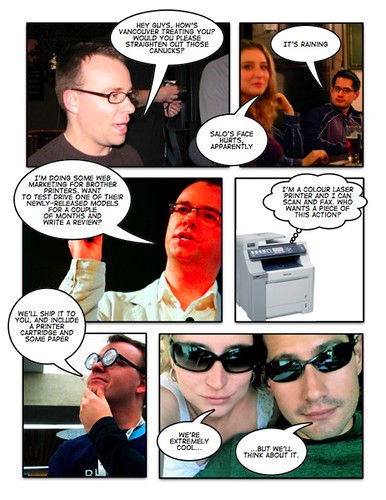
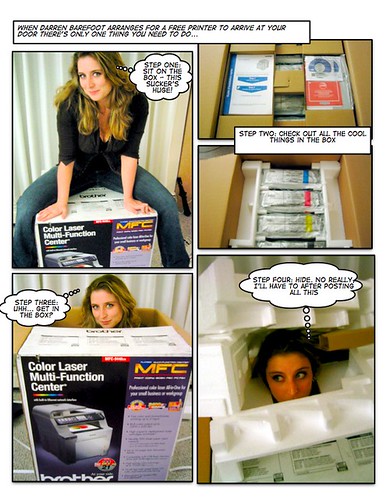
Wow, is that ever the geekiest title I have ever put into a post. To give you a bit of back story, let me have this illustration that Darren Barefoot sent to Rebecca and I explain it further.

Marketing Comic Hilarity
Photo credit: miss604 on Flickr

I’m not exactly sure how long we get to test drive this thing, but the honking Brother MFC-9440CN showed up while we were in the states. After UPS called us, we got it delivered to Rebecca’s office. At that point, I had to meet her on my way home to get a taxi van to help us get it home.

Wanna see how big it is? Let me have this illustration explain it further. (I took the pictures. hehe)

re: barefoot
Photo credit: miss604 on Flickr

I’ll do my best to document the experiments that we’ll put to the test on this bohemith, and it will use some creativity to figure out how to do that. My guess is that when it’s time to give this thing back, I’ll understand that saying of not knowing what you got until what you’ve got is gone.

Interestingly enough, I was just scanning through the MacNN headlines when I caught, “Brother unveils color multifunction lasers“. Is that…? Yeah, it is! So not only has Brother unveiled these new printers, but we has gots one.

Free WiFi at Iowa interstate rest areas

Monday, November 19th, 2007

I have known about free wireless internet at rest areas in Iowa for a few years now, and every time I hear about or use it, the service impresses me. More so, it’s the fact that it shows how forward thinking the state is with providing access to travelers who pass through the state.

iowa rest stop
Photo credit: miss604 on Flickr

For instance, we just stopped at the rest area on I-35 near the Missouri border, in between Lamoni and Decateur. Open up the laptop, find the network, launch a browser, and a couple of clicks through the DOT’s web pages gets you in. We checked our email, uploaded some pictures, Beck made a blog post, and off we went. That made for a twenty minute stop, but the scenery at that particular stop, not to mention near 80F, clear sky weather, made it fairly smooth.

In the time before I moved out of Iowa, I had used this service just a couple of times, and it used to be that you had to setup an account with this service. It was still free, but I’m beginning to think that the number of people who would forget their account information between uses and just sign up for another one because they forgot the previous one probably got out of hand. Kudos to the service for changing that.

During this trip, we’ve been through two major airports, Seattle and Chicago, that had WiFi that you had to pay for. $6.95 for a whole day of access in Seattle isn’t much, but what a pain. Why not give me 90 minutes of unlimited access for 24 hours, and then charge me if I want more? Sure, there are people who might try to abuse the system, but monitor the bandwidth for that, right?

If I have a hour to kill during a layover, I’d love to just pop on and check my email. We just made a 20 minute rest stop in southern Iowa with free wireless, and now we’re back on the road. You’re telling me that airports can’t do that?

That also reminds me, check out what a group of local geeks are doing in Vancouver. FreeTheNet.ca is a movement to provide a city wide WiFi network to the metro area. Let’s broaden that to the airports across North America, eh?

BitTorrenting in some Finnish league hockey

Thursday, November 8th, 2007

fin-hockey01.jpg

The beautiful thing about BitTorrent[wiki] is that it allows us to pretend that we have a DVR. Well, in Vancouver, they are known as PVR, but it’s that digital video box that is so much sweeter than what a VCR ever was or can be.

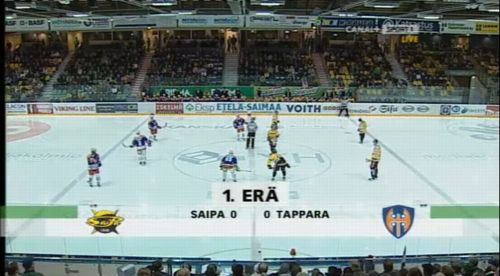
Anyhow, on one of the many sites that I watch for the latest torrents that I want to grab, something popped up that caught my eye. It said “Finland” and “hockey” somewhere in the title, and there was also a “vs” in it as well. I’ve heard a lot about the Swedish, Finnish, and Swiss leagues that NHL players jump ship to play in, so I thought I would download it to see what it was.

fin-hockey02.jpg

Sure enough, it was a Finnish league hockey game, and the broadcast was entirely in the native language. HD, widescreen format with sound that had some killer, stereo quality sound. Who ever did this rip, did it with passion, and the broadcast wasn’t half that bad either.

fin-hockey03.jpg

I didn’t get a chance to watch the whole game because I was going through the collection of stuff that has been accumulating for us to watch prior to recording the latest episode of The Crazy Canucks last night. I actually needed to help free up space on my hard drive, so I parsed through it rather quick. That’s not to say that I wasn’t able to make a few observations, if not get a feel for how the game went.

fin-hockey04.jpg

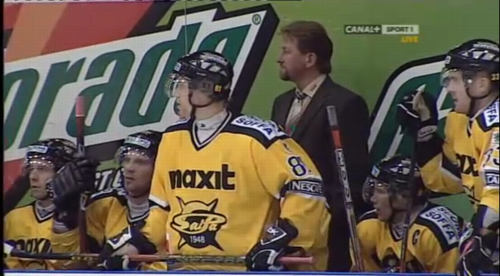
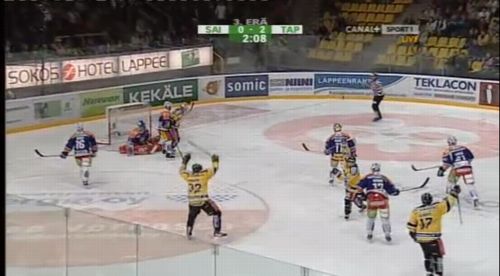
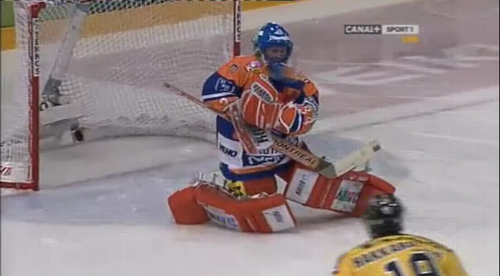
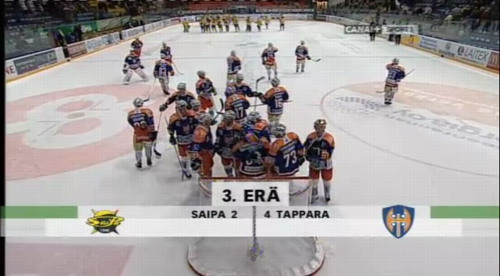
First and foremost, the amount of logos on the jerseys of the players should make any NHL fan rejoice that we don’t have to endure such blatant advertising. The arena wasn’t the biggest, but the home team made quite the noise when the home team scored. I think they were the ones in the blue and orange uniforms, but I don’t really know if they were SaiPa[wiki] or Tappara[wiki].

Checking into those Wikis, there are a couple of players on these respective teams from B.C. and Minnesota. Some good ol’ North American hockey kids, dontcha’ know, eh?

fin-hockey05.jpg

Both of these teams, finding this information out while writing this post, are in the SM-liiga[wiki] in Finland. Interestingly enough, this league is regarded in Europe the same way that the NHL is thought of in North America. Playing at this level is nothing to scoff at, and watching some of the action is evidence of that. International rules or not, these guys can play.

fin-hockey06.jpg

So Tappara won, and I think I’m pretty confident that they are the guys in those blue and orange uniforms, but now I’m second guessing myself and saying that the home rink was that of the guys in yellow and black. Or was it yellow and blue?

I don’t understand a lick of Finnish, so there is no way I can say for certain as to who was who, but 4-2 was the final score, Tappara was the winner. The guys in orange and blue. At least our numerics cross language boundaries.

Thank you, mysterious Finnish league hockey fan, for taking the time to put this out there for me to discover. Like I said, I’ve only heard about these leagues but never have had the chance to really get any exposure to it. On top of that, the announcers are fun to listen to, even if you can’t understand the language. Granted that it’s no Mexican league futbol match in terms of the quality and entertaining play-by-play, but these folks get just as excited.

I mentioned it in the recent episode of The Crazy Canucks, but the NHL should really do more with the technology of bittorrent. I’m not the first one to promote or come up with the idea, but it just might help grow exposure to the league if you make games available like this as soon as they are complete. Posting games to Google Video three days after they happen is… well… hmm, what was I talking about? Oh yeah, they’re easy to forget about.

Finland, you’ve got some good stuff over there. You make me want to come visit the home of Sami Salo[wiki] and stay for the hockey.