Adding WPtouch to my WordPress site

Saturday, May 30th, 2009 | 1 Comment »

Hot on the heels of today’s WordCampSF 2009, a recent survey on Twitter by Matt Mullenweg showed that two of BraveNewCode’s plugins for WordPress took number three and one.

WordTwit is something I’ve been using for some time now, and it’s a must have add-on that automatically posts updates to Twitter when you publish a post. Version 2.0 has brought on some great improvements that keep the plugin simple yet very powerful.

wptouch Taking number one is WPtouch, a plugin that makes your WordPress site optimized for the iPhone, iPod Touch, and Android mobile devices. It’s been available for some time now, and I’ve been very slow to getting it installed onto my site. Call it being lazy because it’s a very quick and easy process to upload it to your WordPress installation, activate it, and you’re done.

Dale and Duane are consistently working on improvements to the WPtouch infrastructure, making it better and better with each release. Keep your eyes on their blog to get the latest news on what’s next.

Crusing along at WordCampSF 2009

Saturday, May 30th, 2009 | 1 Comment »

WordCampSF 2009

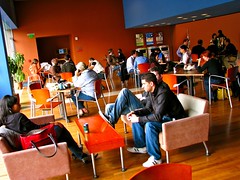
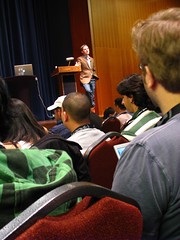
After a GPS and Google Maps adventure of helping our taxi driver get to the Mission Bay Conference Center in San Francisco, it’s been a jam packed morning at WordCampSF 2009. And actually, it’s been very relaxed and chilled in terms of the sessions so far today.

WordCampSF 2009

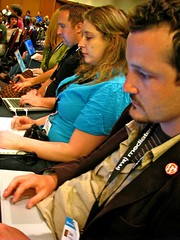
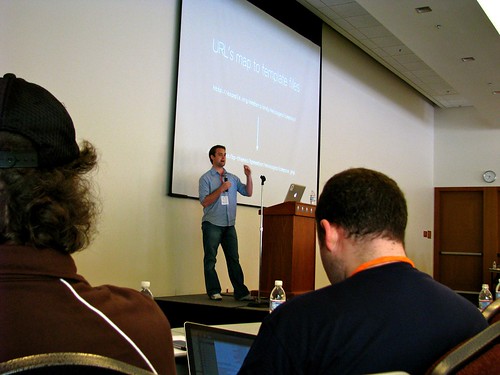
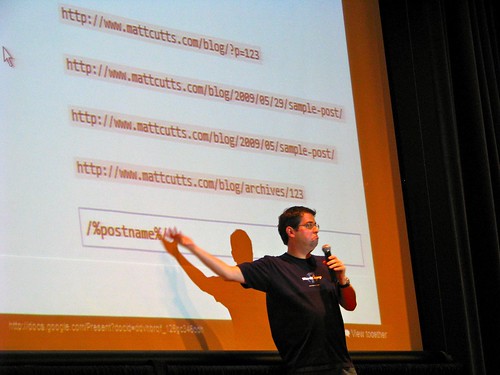
Andy Peatling gave a great session on BuddyPress, Matt Cutts from Google had a variety of great insights when it comes to SEO and your WordPress site, and the “State of the Word” by none other than Matt Mullenweg himself was great. I learned a lot about the history of this CMS, and the future looks really promising for WordPress on multiple fronts. It’s one of those days that makes you excited to be a developer and gets those ideas cranked up in your head.

There have been a variety of great announcements that are going around the circles, and I can’t even recall them all. It’ll take a little while for me to digest them all and give my insights to later, but a lot of what I’ve seen today make our projects with sixty4media clients look even more exciting when it comes to current and future endeavors.

Needless to say, there is a lot more to check out today. The afternoon sessions are getting ready to kick off, and I have my time at the Genius Bar at 4:55PM to 5:45PM. If the morning has been any preview, the rest of the day should be pretty kick ass.

In San Francisco for WordCampSF 2009

Friday, May 29th, 2009 | 3 Comments »

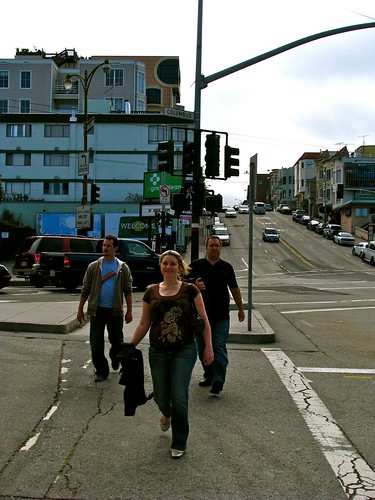
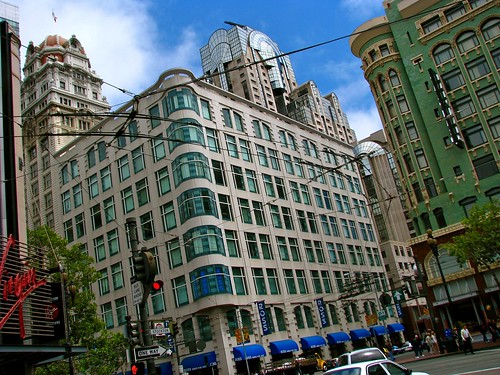
Street Cars

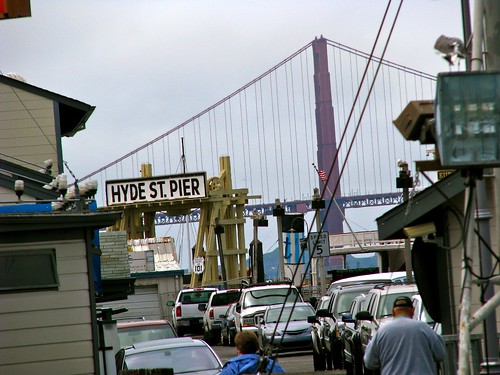
I’m in San Francisco this weekend for WordCampSF, the WordPress conference that is organized by the creators of this platform that we use pretty much exclusively with our sixty4media projects. This will be a chance to meet new people and find out new things that I can use in my bag of tricks for future development with my WordPress endeavors. There is also the opportunity to share some of the ideas and concepts I use with others in order to give back to the community.

I’ve been asked to spend some time at the Genius Bar in the afternoon where people will be able to come up and ask WordPress related questions. I’m thrilled to be asked to do this, but my only hope is that I can live up to that “genius” tag as much as possible.

Rebecca is along for the trip as well as our pal Duane. John Biehler is in route today, and Dale Mugford will join us later today to bring the BraveNewCode crew in full attendance.

With hope, I’ll do my best to get some good photos and writing in this trip because of the recent upgrade of a MacBook Pro to our sixty4media arsenal. Many thanks to the guys from Simply Computing in Vancouver for their help with getting me this great piece of hardware. It will come in handy for sure, especially on this trip!

One week until WordCamp Whistler!

Friday, January 16th, 2009 | 1 Comment »
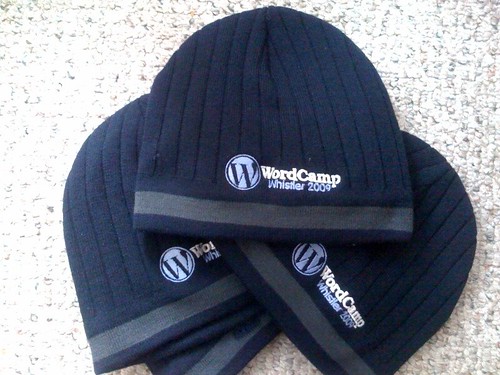
WordCamp Whistler toques - Photo by Rebecca Bollwitt on Flickr
Photo credit: Miss604 on Flickr

We are one week and counting for the first, and certainly we hope it’s not the last, WordCamp Whistler. If you don’t have your tickets yet, there is still a few days left to get yourself one.

As you can see, the swag is starting to come together, and many thinks to Linusco for designing and making our signature toques for the weekend event up in Whistler, B.C. We’ve all seen the WordPress t-shirts, sweatshirts, hoodies, bags, backpacks, and the occasional scarf, so now you can add this to the list of WordPress-themes apparel, something we decided upon when wanting to make this event unique compared to other WordCamps that are held around the world.

For all the extra details and information about the event, please visit wordcampwhistler.com for the very latest.

WordCamp Whistler 2009 – Badges!

Monday, December 8th, 2008 | 1 Comment »

If you are heading up to WordCamp Whistler 2009 or just want to help get the word out about the event, slap some badges on your site to spread the word.

WordCamp Whistler

There’s about four to choose from, so pick one and tell the world about WordCamp Whistler, especially if you’re going!

WordCamp Whistler 2009 – Date and registration

Friday, December 5th, 2008 | No Comments »

WordCamp Whistler

After much plotting, planning, wishing, hoping, and a few meetings, WordCamp Whistler 2009 is a full go for January 24, and registration is open for attending as well as speaker submissions.

If you have ever wanted to find out more about how to use WordPress, the mechanics that drives it, and how other people are using it, then this is a great opportunity to find out more.

With the venue booked, keynote secured, website and social media streams in place, we’re ready to officially announce WordCamp Whistler 2009.

This site is your official source for WCWhistler information. Check out the speaker page, add your own submission to become a speaker, find out more about sponsorship, and check back for blog updates. You can also follow the action with the RSS feed or by adding @WCWhistler on Twitter.

The official conference tag (for Flickr photos or blog posts) is wordcampwhistler09.

Browse the site, get all the info you need, ask some questions, and register through Eventbrite. There is a fee for this conference but since we’ll be in a world-class location with top notch speakers, we think it’s worth it (and we’ll even through in some lovely swag as well).

My snowboard boots are already by the door – right next to my laptop. I hope to see everyone there for this amazing weekend of WordPress geekery, networking, and good times. [wordcampwhistler]

Duane, Rebecca, and I have really tried hard to get this idea off the ground, and there is still much left to do before the date comes. Keep tabs on the WCWhistler website and subscribe to the RSS feed for all the latest news.

Designing drop down menus with CSS on WordPress

Wednesday, July 16th, 2008 | 2 Comments »

I designed a WordPress site for my friend Andy at No Boundaries.org some months ago, and the final version that we settled on really pushed my personal boundaries of knowledge in terms of PHP and CSS to get some of the things to work that he was wishing for. Never wanting to let a good friend down, I got something to work that came up tonight at WordCamp Fraser Valley.

I’m not sure what the original question was, but my design for No Boundaries had custom drop down menus added to the header so that Andy could easily add and remove pages from where ever he was in the world and have them show up in those menus.

And to be honest, I can’t really tell you how I got it all to work because it was that long ago. However, Stu Nicholls made a great blog post about how to do this with simple CSS. I used this post to hack together my concept for Andy’s site, and the final design turned out to be what he wanted.

Now doing a quick Google search to find this resource again, I came across this WordPress plugin, Wordpress CSS Drop-down Menu, that could do this for you without getting into all the code. I have no experience using it, but the author makes reference to the same blog post that I just did, so it might be worth checking out first before you get into the code.

Checking out WordCamp Fraser Valley out in Langley, BC

Wednesday, July 16th, 2008 | 5 Comments »

WordCamp Fraser Valley You could say that this style of WordCamp is a bit out of the ordinary. In fact, I’m not sure that many WordCamps are held in casinos, but this event is pretty nice in the fact that there is an amazing space out here for gatherings, meetups, and conventions like this.

WordCamp Fraser Valley is a growing push to move web related camps like this out of the downtown core and into the mysterious world away from the ocean waters. Wifi, reasonable sources of power, plenty of water, a huge room, podium, PA system, projector, and a screen. What more could you really need for a WordCamp?

Well, it might be better if something like this was a bit longer, but an all day event at a location like this might be tough. If you head down the escalators, you might be enticed by the various ways to gamble your money away, so you’re probably better off sticking to your laptop like myself and get some content out while checking out your RSS feeds.

The list of presenters tonight are a good group of folks. Raul kicked off this WordCamp with a session on switching from Blogger to WordPress, and it was a great way to introduce newbies with a way of letting go of your worries and do more with blogging in general. Even if you don’t have a blog or are just beginning with your blog, these concepts are worth considering.

Gary from BlurFur, the folks who have headed up this event, made a last minute presentation on business blogging after another speaker was unable to attend. A topic that is largely ignored, and often not even thought about, businesses should be doing more blogging. Period. If you want a way to reach your customers directly, then this is it. Promote your product, talk about your industry, or publish your your press releases on your blog, there are many avenues you can take when it comes to adding a blog to your business.

More topics are being presented tonight, so I will let Rebecca’s live blog speak more to what’s going on, not to mention that she is also one of the presenters tonight. She will be speaking about adding custom sidebars to your posts and pages, something we are big fans of doing. Kulpreet is currently speaking about security to WordPress, and John Chow will bring his evil, money making ways with blogging to the room.

I have to say that I am really impressed with tonight’s turnout. It’s always great to see people from various aspects of blogging. And yes, there are people that don’t even have a blog and are here to find out more. If that’s someone like yourself, then check out a WordCamp sometime. The WordPress community not only does geek stuff and talk about code, but we also like to share the things we know.

Adjusting and fixing my RSS feeds

Wednesday, May 28th, 2008 | 1 Comment »

There is a good chance that RSS subscribers just got blasted with a back log of posts, so please don’t think that I made about ten posts in a single day. I did some rearranging a couple of months ago when I re-themed my site, restructured my WordPress install, and upgraded to the latest and greatest version of 2.5.

I neglected to make adjustments to FeedBurner, and that has been fixed. Let that be a mental note to the rest of you with similar setups. If you make significant, back end changes to your WordPress site, don’t forget to double check you RSS feed if you are using a third party site like FeedBurner.

Using CSS to attribute photos in your blog posts

Tuesday, May 27th, 2008 | 5 Comments »

Rebecca recently made a post about using the AddQuickTags plugin for WordPress to display captions on photos in her blog posts, I would elaborate on the CSS styling it takes to get this. The WordPress plugin makes this easier, but I thought it would be useful to share how you can do this with some simple CSS, especially if you don’t have WordPress at your disposal.

First, how do you get this…

John and Becks by duanestorey on Flickr
Photo credit: duane storey on Flickr

to work?

To start with, you need your image and then link it to its origin or creator to attribute credit to. This is just good practice and makes the original author happy. We’ll have to peak at some quick HTML to get a sense of what’s going on here because we don’t like using visual editors. Code might be tough to work with for some, but it’s second nature to us.

<a href="http://website.com"><img src="http://photosharingsite.com/photo/image.jpg" /></a>

Your HTML might look different, but the premise should be the same. It’s a linked image, but how do you get the “Photo by:” tag underneath the image? Let’s start by adding some code to your CSS.

.captioncentered {
display: block;
text-align: center; /*centers text & image*/
margin: 10px auto; /*centers the whole div*/
padding-bottom: 1px; /*this depends of your design*/
font-size: 0.85em;
color: #ccc;
}

This will make like somewhat simple for you in the long run because this will set the design of your blog to work for all posts you use this styling for. So now what do you do with it?

You just setup a “class” to use in the “div” tag. It works like this.

<div class="captioncentered"><a href="http://website.com"><img src="http://photosharingsite.com/photo/image.jpg" /></a></div>

That centers the image, so now you need to add a little more HTML to this in order to get the credit where it deserves to be. This just requires some text and then linking the words you want linked. However, this extra text must be inside the div tags in order for this to work!

<div class="captioncentered"><a href="http://website.com"><img src="http://photosharingsite.com/photo/image.jpg" /></a>
<br />Photo by: <a href="http://website.com" />author</a> on PhotoSharingSite.com</div>

Once you have this, you are able to to display an image, such as a photo from Flickr, with proper attribution. Why? Because it’s the right thing to do, not to mention a legal way to not get yourself into trouble with the original author for taking their content.

The next thing you can do is edit your CSS to make some adjustment to the look of your text or perhaps the background. It really comes down to what you want to do. There might be a better way to do this, but this is how we get this function to work.

Checking out Firefox 3 beta RC3

Monday, March 3rd, 2008 | 1 Comment »

In an effort to at least post something in about a week, I thought I would make a quick mention of some initial thoughts I had when I downloaded Firefox 3 beta 3. Now to get that in normal people speak, that would be version 3.0 of Firefox, but it’s still in the beta phase of development, meaning that it’s not ready for official, widespread release and/or use. The second 3 means that it’s third in a series of release candidates for the big day when Firefox 3 is finally here.

You still with me?

The first thing I noticed, on my Powerbook G4 with a 1GHz processor circa 2003, is the speed that this browser works. It’s fast. The current release of Firefox, 2.0.0.12, is rough on my laptop. I can only achieve half the speed of the latest beta by plugging in a hard wire connection, and that only makes me even more sad to the reality that this beautiful laptop is ending its life cycle, but that’s a whole other story.

Rebecca has been using it a bit more than I after I told her about how well it operated, but it starts and stops with the speed. There are some minor bugs that still need to be worked out. There are key commands for WordPress that don’t work in the beta release, but that’s less important than the numerous plugins that I rely on daily which need to be updated and ported into this new version. That will come in time, but certainly makes me hesitate to make the upgrade before I get all my tools lined up and readily available.

Phillip sent me a Twitter the other night when I mentioned this, asking if he should download it. I would say that it wouldn’t hurt if you are a multi-browser user. Firefox is my main workhorse, but I also bounce in and out of Safari and Camino. I expect to do the same with this beta release as well, so if you think you are along those lines, then go for it. Otherwise, hold off. This beta release (beta being the very important word here) isn’t quite ready for the big time.

Northern Voice Day 2: Keynote with Matt Mullenweg

Saturday, February 23rd, 2008 | 1 Comment »

I’m not going to say a lot as I wait for this keynote to start, but it’s incredibly cool to have Matt Mullenweg here to start the day off at Northern Voice 2008. So much of what I do is WordPress, so it’s pretty freaking neat that the guy who founded the project is speaking today.

Boris and Matt
Photo credit: Duane Storey on Flickr

Interesting notes during the keynote:

  • WP 2.5 to have one click upgrades to plugins. WP 2.6 to hopefully have one click upgrade to core software.
  • Ha! This Matt just mentioned the Matt I mentioned in my last post. They are in a battle for the highest Google ranking for their first name.
  • “Kill the Megabrands”
  • “When you have the taste of freedom, it’s tough to go back.” Basically, no matter what the open source project is, everyone has the ability to contribute to it, knowing how to code or not.
  • Why shouldn’t the government have more open source information? Otherwise, they are just stealing from us and keeping information to themselves.
  • You can listen to his keynote here.